Setting up actual PC using Termux!!
from Tech | 2 min read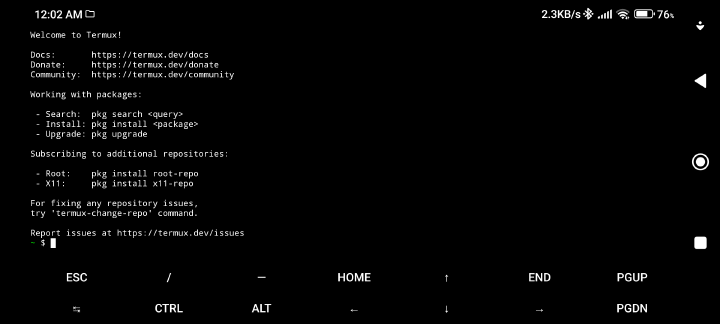
So yeah… you can basically turn your Android phone into something that feels like a small Linux PC 😄 No root. No crazy mods. Just Termux.
If you’re interested in running a desktop environment on your phone just for fun, learning, or flexing — this guide is for you.
What is Termux?
Termux is a terminal emulator for Android that gives you a Linux environment. You can install packages, run commands, start servers, and do most Linux stuff — directly on your phone.
It’s lightweight. It’s powerful. And it’s kinda cool.
First — Install Termux Properly
Don’t install it from Play Store (it’s outdated there).
Install it from:
- F-Droid (recommended)
After installing, open it up.
Update Everything
Always do this first:
pkg update
pkg upgrade
Let it finish. Don’t skip this.
Install Required Repos
Now install extra repositories:
pkg install root-repo
pkg install x11-repo
pkg install tur-repo
These repos contain graphical packages and some additional tools we’ll need later.
Install Desktop Environment (XFCE)
We’ll use XFCE because it’s lightweight and works well on mobile devices.
pkg install xfce4
This might take some time depending on your internet.
Install VNC Server
We need a way to actually see the desktop. So install TigerVNC:
pkg install tigervnc
Start it:
vncserver
It will ask you to set a password. Do that.
Now configure it:
vim ~/.vnc/xstartup
Paste this inside:
#!/data/data/com.termux/files/usr/bin/sh
xfce4-session &
Save and exit; ESC :wq or Shift ZZ
Make it executable:
chmod +x ~/.vnc/xstartup
Restart VNC:
vncserver -kill :1
vncserver
Now connect using any VNC viewer app and use:
localhost:5901
There you have it. You should see your desktop.
Now that you basically have a mini PC, install whatever you want:
Install Some Useful Stuff
pkg install git
pkg install nano
pkg install python
pkg install nodejs
pkg install firefox
Now you can code, browse (kinda off, as your cell phone has small keyboard & display), and experiment.
Things to Know
- It’s not a real replacement for a powerful PC.
- Performance depends on your device.
- Some apps may lag.
- It’s more for learning and experimenting.
But still… it’s pretty cool running a Linux desktop on your phone.
Stop the Desktop
When you’re done:
vncserver -kill :1